
How Gaming, Finance, and E-Commerce Marketers Use Claude and AppsFlyer MCP


TL;DR
- AppsFlyer MCP connects Claude directly to your live attribution data. No CSV exports, no manual pulls, no waiting on analysts.
- Gaming teams use it to replace manual UA reporting and catch budget anomalies that would never surface on a Monday morning dashboard check.
- Finance teams use it to compress multi-hour attribution analysis across channels, cohorts, and markets into a 2-minute conversation.
- E-commerce teams use it to close the gap between where they measure performance and where they make spend decisions.
- Most users get their first insight before they finish their morning coffee.
What Most Marketers Get Wrong About AI-Powered Analysis
Many marketers have Claude open in one tab and AppsFlyer in another. Some still export a CSV, upload it to Claude, ask a question, get an answer, and call it AI-powered analysis. It isn’t. That’s a pivot table with a chat interface on top. The data is stale the moment you export it, and Claude has no idea how your business actually calculates ROAS.
A growing group of performance and growth marketers in gaming, finance, and e-commerce has figured out something different. They’ve connected Claude directly to AppsFlyer via AppsFlyer MCP. Now, when they ask a question, Claude pulls the answer from live attribution data in real time.
What Is AppsFlyer MCP and Why Does It Change Things?
AppsFlyer MCP — Model Context Protocol — is the connection layer that gives Claude direct, live access to your AppsFlyer data. It what makes automated workflows possible without technical complexity. Instead of waiting for developers to build custom API integrations or data engineers to write extraction scripts, MCP gives AI agents direct, secure access to your AppsFlyer data through simple, natural language requests.
Getting started is simple and takes only a few seconds to minutes: just input AppsFlyer’s MCP URL and supply your token or simply connect. When your AI agent needs to check campaign performance or monitor spend thresholds, it simply asks through MCP and gets instant answers.
For marketers, that means complete autonomy to build and iterate on workflows without waiting on technical teams.
How Do Gaming Marketers Use Claude and AppsFlyer MCP?
Gaming UA teams use Claude and AppsFlyer MCP to do two things manual workflows can’t: replace repetitive reporting at scale, and catch budget anomalies before they become budget disasters.
The reporting problem at scale
Matej Lancaric is a UA consultant running campaigns for around 10 companies at the same time. Every week, the same ritual: open AppsFlyer for one client, then again for another, then again. Ten accounts, ten dashboards, ten sets of numbers to pull before he could say anything useful to anyone. In his own words:
“I hate reporting. Not the insights. I hate the mechanical act of collecting numbers that already exist somewhere, formatting them into something readable, and sending them to people who needed them yesterday.”
His fix was to connect AppsFlyer MCP to an AI agent that now pulls last week’s performance data automatically, summarizes the highlights, flags anything trending in the wrong direction, and delivers the report to Slack or email, without him touching a single dashboard. The first setup took him 10 minutes. To understand how you can even start your journey you can learn more about how marketing teams use a ready template to start their AI workflow building. The agent runs on a schedule via n8n, an open-source automation tool that triggers the workflow and handles delivery. Monday morning: n8n fires, the agent pulls the data via MCP (can also connect to an LLM like Claude for more insights), the formatted report lands wherever it needs to go. Nobody logs into anything.
Scaling to 10 client accounts required a multi-agent setup: one agent per client account, plus a super-agent that orchestrates them and collates their outputs into a single summary. One prompt, one output, ten accounts. The extra setup took about an hour the first time. After that, fully automatic. Matej documented the entire flow, the multi-account setup, the prompts, the n8n trigger, and published it for any UA team to replicate.
From CSV uploads to live queries
Shamanth Rao, founder of RocketShip HQ and host of The Mobile User Acquisition Show, spent a year watching the standard “AI move” in gaming play out the same way: export a CSV from the MMP, upload it to Claude or ChatGPT, get answers that sounded analytical but were based on week-old numbers with no connection to live spend.
According to Rao, “Pivot tables with a chat interface on top and smart-sounding answers are completely disconnected from reality.” His solution was to connect AppsFlyer MCP to Claude Code and add a CLAUDE.md instruction file that teaches Claude exactly how the business calculates ROAS — making it, in his words, “an analyst that knows how your business works.” The result: Claude now queries real channels, real spend distribution, and real performance data in real time. No export, no pivot table. Watch Shamanth walk through the full setup in under 10 minutes.
Questions like “which campaign delivered the highest D7 ROAS?” or “why is this campaign underperforming?” now get answered against live data, not a stale export.
The anomaly problem no dashboard solves
In mobile gaming, weekend and overnight spend is disproportionately high but human monitoring isn’t. A leading gaming UA team deployed monitoring that detected a budget pacing issue at 2am across Google and TikTok, catching an estimated 40% of weekend spend before it was wasted. Their verdict: “That would never have happened manually.” That catch was only possible because the AI was connected to live AppsFlyer data, not a dashboard someone checks on Monday morning.
How Do Finance Marketers Use Claude and AppsFlyer MCP?
Finance growth teams use Claude and AppsFlyer MCP to answer attribution questions that previously required engineering time, and to get multi-market analysis fast enough to act on it within the same spend cycle.
Square: from hours to under 2 minutes
Sara San Antonio, Sr. Global Marketing Mobile Manager at Square, connected AppsFlyer to Claude via AppsFlyer MCP. What used to take hours to pull manually now takes under 2 minutes. Her team asks performance questions in natural language and gets instant breakdowns by channel, audience, and revenue, then builds dedicated dashboards from the outputs. She also built a Slack alert on top of MCP that fires a notification with a chart as evidence whenever an event drop is detected. Real-time monitoring, without a single manual check. Watch Sara explain the full workflow in the webinar.
“What used to take me hours to pull manually, I can now get in under 2 minutes just by asking the chat. AppsFlyer’s MCP is one of the biggest wins a marketer can get their hands on.”
— Sara San Antonio, Sr. Global Marketing Mobile Manager, Square
The LTV problem that kept needing engineering time
For a leading fintech brand, the spend decision that mattered wasn’t how many users installed. It was which channels deliver high-LTV users. Answering that used to require joining AppsFlyer attribution data with warehouse LTV and revenue data: a manual pull and custom join that needed engineering time every cycle.
Their solution was to connect AppsFlyer MCP to their existing Snowflake MCP. No new architecture, no manual export. Install-quality analysis went from an engineering project to a recurring data-team capability. “Connecting AppsFlyer’s MCP removes the last manual step in our attribution workflow,” said the Data Engineering Lead.
Multi-market analysis in minutes instead of days
A growth team managing UA across 8+ markets, each with different channel mixes, cohort behavior, and ROAS profiles, needed to analyze attribution across multiple dimensions fast enough to act within the same spend cycle. That analysis previously took days of analyst time and produced static reports, not live insight.
They connected AppsFlyer MCP to their enterprise Claude instance and built a conversational dashboard that answered multi-dimensional questions, channel by cohort by market, in real time.
“The tools I built on top of it saved time across every channel we run,” said the Head of Growth.
Live Webinar: Join and start using AI differently
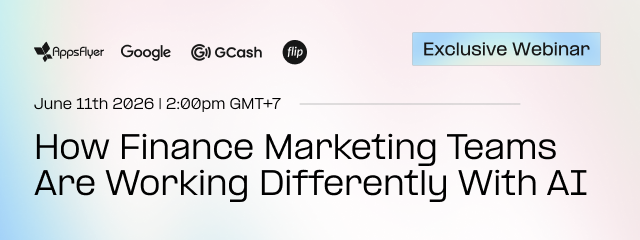
If you want to learn more about how other teams like Google, GCash, and Flip are utilizing AI right now, you can join a live session on June 11. You will leave with the Finance AI Starter Kit: an activation plan, templates, and copy-paste prompts to start working with AppsFlyer data through AI from day one.
Reserve your seat. Tuesday, June 11. 2:00 PM Bangkok time.
How Do E-Commerce Marketers Use Claude and AppsFlyer MCP?
E-commerce marketing teams use Claude and AppsFlyer MCP to close the gap between where they measure performance and where they make decisions, so attribution insight arrives in time to actually influence live spend.
The execution gap
A leading commerce platform operating across payments, e-commerce, and financial services had a specific problem: they measured campaign performance in AppsFlyer but acted on it in separate execution tools. The gap between measurement and action meant attribution insight arrived too late to influence live spend decisions.
The company’s solution was to embed AppsFlyer attribution directly into their marketing workflow stack via MCP. One measurement layer reachable from the tools where decisions are actually made.
Their verdict:
“MCP will be the key highlight for this year for us. We want to get our entire workflow sorted.” — Marketing Technology Lead.
What this means in practice
Instead of switching between AppsFlyer and execution tools, the team queries performance directly inside Claude, the AI tool already sitting in their workflow. The measurement layer comes to them, not the other way around.
For e-commerce teams managing campaigns across multiple channels and markets, the shift from pulling data to querying it from wherever you’re already working is what makes AI actually useful rather than just present.
What Becomes Possible When You Connect More Than One MCP?
The real power of AppsFlyer MCP isn’t in using it as a single connection. It’s what happens when you treat it as one layer in a much bigger picture, bringing attribution data together with behavioral data and engagement performance data in one place, with no exports, no manual stitching, and no waiting for an analyst to join the datasets. When you connect the right data sources, Claude becomes the orchestrator. And the questions your team can ask suddenly become much more interesting.
Think about what that looks like in practice. A growth marketer asks: “Show me users who installed last week but haven’t opened the app in seven days, tell me how current re-engagement campaigns are performing against that cohort, and recommend where to refresh creative.” That question spans three data sources. With the right MCPs connected, Claude answers it in one conversation, with context, with a recommendation, and with the full picture needed to act.
The foundation that makes all of this possible is your data. Clean, governed, connected attribution data is what gives Claude something real to work with. When that foundation is in place, tools like Cowork in Claude make the rest feel seamless; you describe what you need, the agent does the work, and your team moves faster without adding complexity. The models will keep improving. The tools will keep changing. But the teams that invest in their data foundation now are the ones who will get the most out of every tool that comes next.
The Prompt That Replaced a Day of UA Analysis
For Sergey Mun, Head of Operations at an AdTech and mobile marketing agency, the biggest value of connecting AppsFlyer MCP to Claude isn’t speed — it’s what surfaces that human eyes miss. “Sometimes when you look at campaigns and datasets manually for too long, your eye kind of gets blurred,” he says. “MCP can surface really interesting insights and anomalies that are not always obvious from a human perspective. It often gives us angles worth digging into deeper.” His team uses it every week — both for internal analysis and to build custom AI-powered dashboards for clients by combining AppsFlyer data with their own DSP and platform data. Rapid prototyping of analytics workflows that would have taken weeks to build the traditional way.
To put that into practice, Sergey built a single Claude prompt that generates a complete campaign overview in under five minutes. Connected to AppsFlyer MCP, it pulls spend, installs, revenue, blended eCPI, fraud flags, funnel health, and geo anomalies, then delivers recommendations sorted by urgency. His core insight: “90% of the value sits in the instruction, not the prompt. You have to tell Claude how to think about UA data, what to flag, what’s noise vs signal.” He wrote a full guide with the prompt included, built for any AppsFlyer MCP-connected app on Claude Pro or higher. Get this prompt in his LinkedIn post.
What Does This Mean for Your Marketing Stack?
AI is changing what a marketing stack needs to do. The marketers getting real value from Claude aren’t using it as a smarter search engine. They’re connecting it directly to their data. That’s the difference between an AI that gives generic answers and one that knows your business.
For gaming: your stack should connect campaign monitoring to Claude so anomalies surface before the Monday morning dashboard check, not after. The teams already doing this have reclaimed overnight and weekend oversight without adding headcount.
For finance: your stack should let any team member ask attribution questions without routing through engineering. The teams already doing this have turned LTV analysis from a project into a habit.
For e-commerce: your stack should put measurement where decisions happen. The teams already doing this have closed the gap between insight and action, and made spend decisions in the same cycle they measure.
The misconception worth naming one more time: uploading a CSV to Claude is not the same as connecting MCP. A CSV is a snapshot of stale data with no connection to how your business actually works. MCP is Claude talking directly to live performance data. Real numbers, real channels, real spend distribution. The difference shows up immediately in the quality of the answers.
Setup takes under 60 seconds. Connect AppsFlyer MCP to Claude, pick one question you ask every week, and ask Claude instead. That’s where the workflow change starts, and once it does, it doesn’t stop there.
Final Thoughts
The marketers pulling ahead aren’t using better AI. They’re using the same AI with better data underneath it. Claude connected to AppsFlyer MCP is what that looks like in practice: live attribution data, queryable in natural language, inside the tool your team already uses.
Your marketing stack should evolve as AI does. The question isn’t whether to connect your data to Claude. It’s the workflow you start with. Gaming, finance, and e-commerce teams are already making that move. The gap between those who have and those who haven’t is measurable. It shows up in reporting speed, budget protection, and the confidence to act in the same cycle you measure.
How can I connect Claude to AppsFlyer MCP?
Go to your Claude settings, open Connectors, and add the AppsFlyer MCP integration URL. Authenticate with your AppsFlyer account. Most users get their first insight within 60 seconds of connecting. Full setup instructions are available in the AppsFlyer Help Center.