Firebase Dynamic Links deprecated: How to migrate and what to use instead

TL;DR
- Firebase Dynamic Links (FDL) was sunset on August 25, 2025. All existing dynamic links now return 404 errors, confirming firebase dynamic links are no longer functioning as of 2026.
- Any app that used FDL for activation, onboarding, engagement, marketing campaigns, or referral links is affected.
- The main alternatives to Firebase Dynamic Links are third-party deep linking platforms or native OS linking.
- AppsFlyer OneLink replicates everything FDL did and adds attribution, web-to-app tooling, and Email Service Provider (ESP) integrations that FDL never had.
What is Firebase Dynamic Links deprecation?
Firebase Dynamic Links deprecated quickly became a major issue for mobile teams after Google shut down FDL on August 25, 2025. FDL was Google’s smart linking solution for routing users to specific in-app content across iOS and Android, even when the app wasn’t installed.
Since the shutdown, Firebase Dynamic Links are officially offline. Most dynamic links, including custom domains and .page.link subdomains, return HTTP 404 errors, though some teams have reported intermittent behavior. The console has been read-only since May 2024. Any app that has not migrated is at risk of broken user journeys and lost attribution data, regardless of whether links appear to be working today.
Any app using FDL for onboarding, referral programs, marketing campaigns, or email-to-app flows is affected. Google now recommends third-party deep linking providers, creating urgency for teams looking for replacements.
For anyone researching firebase dynamic links deprecated 2026, the key takeaway is simple: the service is fully offline and existing links no longer work.
Example Firebase Dynamic Link:
https://example.page.link/product123
Before shutdown:
→ Opened the product page in-app (or after install)
After shutdown:
→ Returns a 404 error
What made Firebase Dynamic Links so popular?
FDL became popular because it combined three useful functions in one free, Google-native product:
Deferred deep linking
If a user clicked a link without the app installed, Firebase Dynamic Links sent them to the app store and then routed them to the intended content on first open.
Cross-platform routing
A single link could route users across iOS, Android, desktop, and mobile web without separate platform logic.
On Android specifically, deep links are resolved using intent filters, which map URLs to specific in-app screens.
Built-in analytics
FDL offered basic click tracking, install attribution, and in-app event monitoring in the Firebase console.
Free and Google-native
For teams already using Firebase, that made it an easy default. Any replacement now needs to cover deferred deep linking, cross-platform routing, and analytics.
What are the best Firebase Dynamic Links deprecated alternatives in 2026?
There are two main categories: third-party deep linking platforms and DIY native linking using OS-level tools.
If you are evaluating a firebase dynamic links deprecated alternative, the choice usually comes down to a third-party deep linking platform or a DIY native linking setup.
Third-party platforms handle routing logic, deferred deep linking, and attribution in a single setup. The main options are:
- AppsFlyer OneLink: full deep linking suite with attribution, web-to-app tools, ESP integrations, and QR codes. Google itself recommends it as a Firebase Dynamic Links replacement.
- Branch: deep linking with broad ESP support (50+ integrations), though some advanced capabilities are offered as add-ons.
- Adjust: MMP with deep linking capabilities, including Smart Script as a standard feature of their web-to-app solution.
- Kochava: MMP with deep linking, though deep linking and web-to-app capabilities are noted as Kochava’s primary focus is attribution rather than deep linking.
- Bitl.y: link management and QR codes, but no deferred deep linking, fallback or attribution.
DIY native linking uses Universal Links (iOS) and Android App Links to handle basic in-app routing without a third-party vendor. This works for simple use cases but lacks deferred deep linking, attribution, and a fallback mechanism, and requires significant engineering work to maintain due to huge fragmentation between browsers, OS types, apps that serve links, email service providers, amongst other link placements.
| Solution | Deferred deep linking | Attribution | Web-to-app tools | Fallback handling | Setup complexity | Cost |
| AppsFlyer OneLink | ✅ | ✅ | ✅ Smart Banners + Smart Script | ✅ | Low | Free tier available |
| Branch | ✅ | ✅ | ✅ Smart Banners | ✅ | Low | Paid (add-ons) |
| Adjust | ✅ | ✅ | Partial (paid add-on) | ✅ | Medium | Paid |
| Bitly | ❌ | ❌ | ❌ | ❌ | Low | Free / Paid |
| DIY (UL + App Links) | ❌ | ❌ | ❌ | ❌ | High | Free |
Fallback handling refers to the ability to route users to an appropriate destination when the default link resolution fails, for example sending a user to the web page or app store instead of a broken experience when the app is not installed.
The rest of this guide focuses on AppsFlyer OneLink as the most feature-complete replacement for teams that relied on FDL for marketing and attribution.
Why choose AppsFlyer OneLink?
Everything FDL did, OneLink does better.
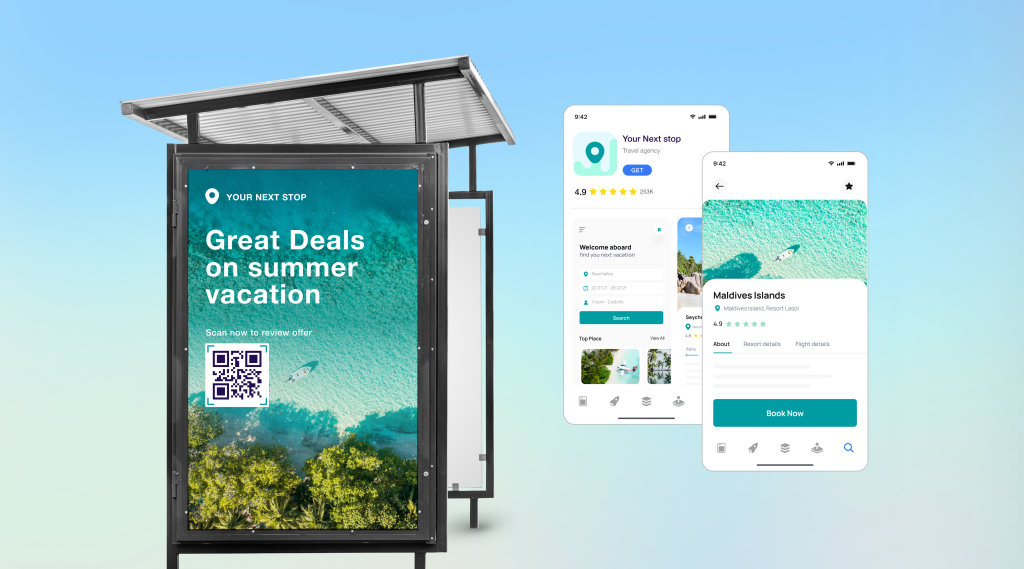
OneLink extends FDL with deeper attribution, handling edge cases and multiple experiences like: email to app, web-to-app tooling, social-to-app, text-to-app, qr-to-app and cross-channel capabilities.
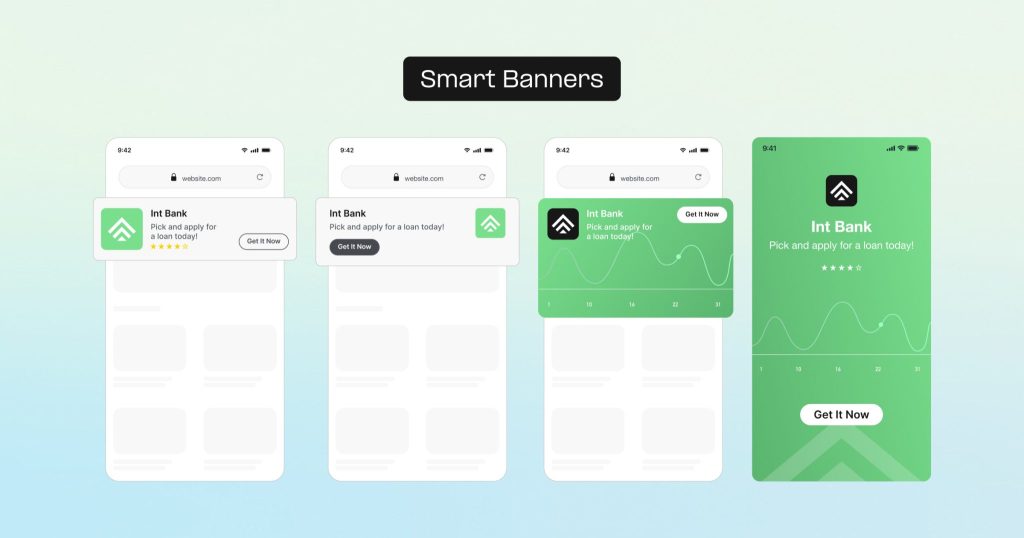
OneLink handles deferred deep linking across iOS and Android, routes users by device, OS, browser, and install status, and provides attribution across the full click-to-install-to-in-app-event flow. Where FDL gave you click counts, OneLink shows exactly how users move from click to install to in-app conversion.
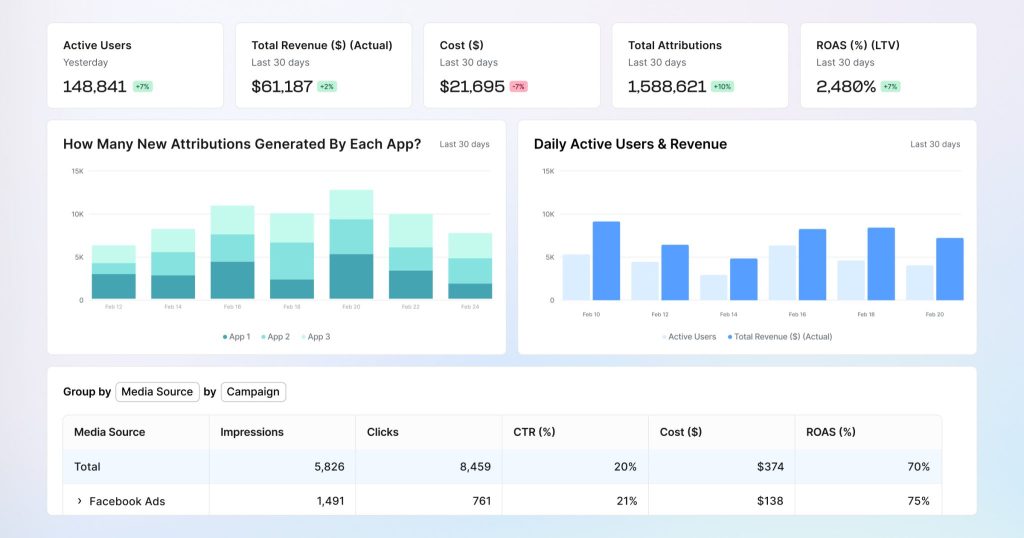
What FDL couldn’t do, OneLink adds
FDL had no ESP integrations, no web-to-app tools, no QR code generator, and no bulk link creation. OneLink adds all of these: 20+ ESP integrations to ensure that your email provider’s link wrapping doesn’t break them, Smart Banners and Smart Script for optimal web-to-app user experience and measurement and, and custom QR codes, and bulk link creation via CSV or API to ensure you stay the most efficient.
Production-grade infrastructure
OneLink handles millions of clicks per minute with 99.99999% uptime. It is built for scale, not just for early-stage apps.
Independent and privacy-compliant
AppsFlyer is aligned with ATT, GDPR, CCPA, and Privacy Sandbox requirements. As a fully independent platform with no ad products, there are no conflicts of interest in the measurement data.
Migration support from day one
AppsFlyer provides a dedicated step-by-step guide, a Link Translator tool that converts legacy FDL links into OneLink format via CSV, and 24/7 support throughout the process.
FamilyMart, one of Japan’s largest convenience store chains, migrated directly from Firebase Dynamic Links to AppsFlyer’s Deep Linking Suite powered by OneLink. The result was a 2x increase in coupon redemption rates and a coupon redemption process that is now one third as fast for customers scanning in-store QR codes.
“After switching from Firebase Dynamic Links to AppsFlyer’s Customer Experience and Deep Linking Suite, scanning the QR code on the receipt to apply the coupon became seamless for our customers. Along with maintaining seamless deep linking, we also significantly improved measurement.”
Mr. Takumi Natsume, Famipay Promotion Group, FamilyMart
And from Hepsiburada, a Turkish eCommerce brand that also migrated to AppsFlyer:
“The process of migrating was much easier than we expected. We literally just switched overnight and haven’t looked back since. The migration to AppsFlyer really was seamless.”
Egemen Bor, Hepsiburada
How to migrate from FDL to AppsFlyer OneLink
The migration has five stages. Most teams complete it in one to five days depending on the number of links and the complexity of their app’s routing logic. For the full technical walkthrough, see the AppsFlyer FDL migration guide.
Step 1: Set up your AppsFlyer account
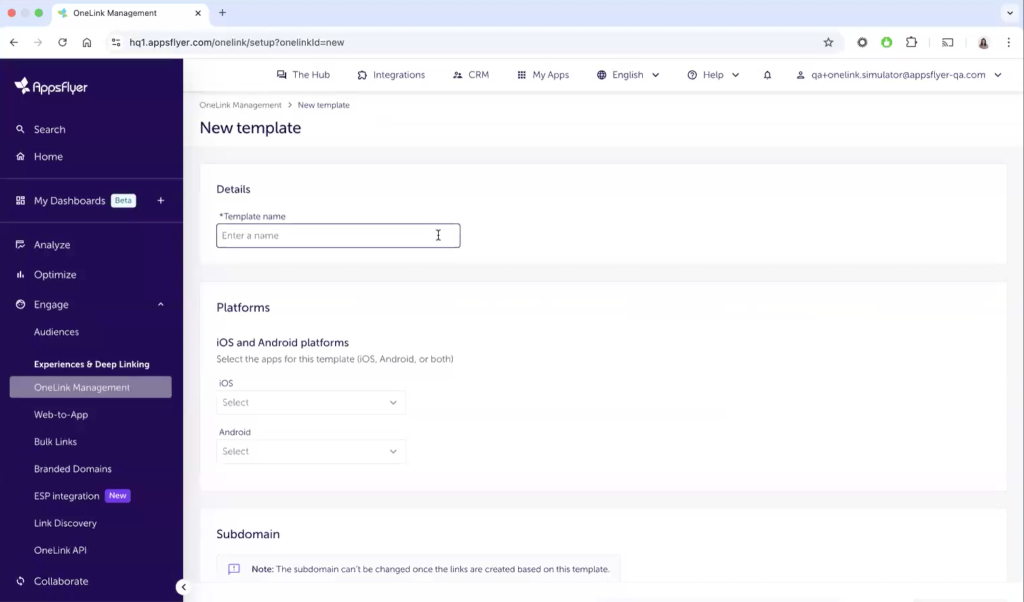
Create your AppsFlyer account, add your app, and configure a OneLink template. The template defines the base redirection structure for all your new links, including your custom domain, fallback behavior, and default routing rules. If you have multiple apps, set up a template for every title. This is also where you configure attribution windows and connect your media sources.
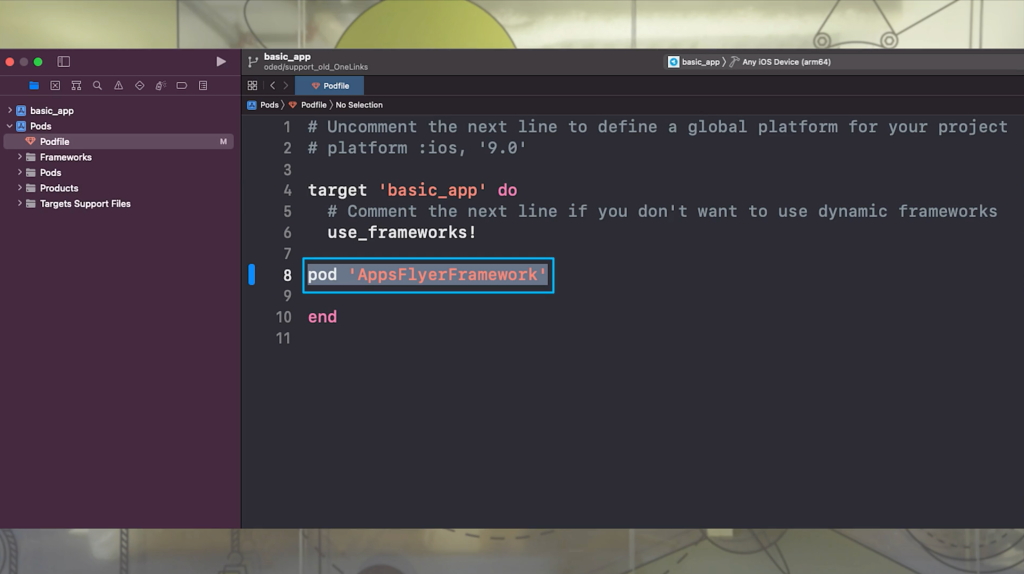
Step 2: Install the AppsFlyer SDK
The AppsFlyer SDK is available for iOS, Android, Flutter, React Native, Unity, and other platforms. It replaces the Firebase SDK for deep linking purposes, though it can run alongside Firebase if you use Firebase for other development infrastructure. Once the SDK is installed, implement AppsFlyer’s Unified Deep Linking (UDL) API. You do not need to rewrite your app’s core routing logic. UDL adapts your existing logic to receive AppsFlyer parameters, specifically deep_link_value and deep_link_sub1 through deep_link_sub10, to route users correctly and show them personalized information from the link that they clicked (e.g. the shoes they saw). Full SDK documentation is available at dev.appsflyer.com.
Step 3: Map your FDL parameters to OneLink
This is the most technically involved step. FDL and OneLink use different parameter naming conventions. Here is a reference mapping for the most common parameters:
| FDL parameter | OneLink equivalent | Notes |
| link= | deep_link_value= OR af_dp depending on the use case | The destination path inside the app |
| st= (social title) | af_og_title= | Open Graph title for social sharing |
| sd= (social description) | af_og_description= | Open Graph description |
| si= (social image) | af_og_image= | Open Graph image URL |
| utm_source= | pid= | Media source / network |
| utm_campaign= | c= | Campaign name |
| utm_medium= | af_channel | The channel in which the creative is placed |
| ofl= (desktop fallback) | af_web_dp= | Desktop fallback URL |
For the full parameter mapping table, see the AppsFlyer Firebase Dynamic Links migration guide.
Step 4: Migrate your links
Three methods are available depending on the volume of links you are migrating:
- Manual creation via the AppsFlyer dashboard: best for a small number of high-priority links.
- Bulk upload via CSV: best for large libraries of FDL links. AppsFlyer’s Link Translator tool converts legacy FDL and Branch links into a correctly formatted OneLink parameters structure to automatically generate the links.
- OneLink API: best for teams that generate links programmatically at scale.
- App user invites: best suite when you app creates sharable content like referral from within the app. To do so, you need to implement the User Invites in the AppsFlyer’s SDK.
Your focus should be on getting new links live ASAP and handling old links that are already in the wild
Step 5: Test before going live
Before switching traffic, test across the following scenarios on real devices:
- Android and iOS with app installed: link opens the correct in-app screen directly
- Android without app installed: redirects to Play Store, then opens correct screen on first open (deferred deep link)
- iOS without app installed: redirects to App Store, then opens correct screen on first open
- Desktop: falls back to correct web URL
- Attribution data is appearing correctly in the AppsFlyer dashboard
You can also think about a phased rollout approach:
- Start with low-risk/low traffic links.
- Use AppsFlyer’s OneLink discovery tool to understand their behavior and monitor the performance in the AppsFlyer’s dashboard.
- Cover more complex and edge cases as you. Offline to online, different browsers, link-sharing apps, etc.
FDL vs AppsFlyer OneLink: feature comparison
| Feature | Firebase Dynamic Links | AppsFlyer OneLink |
| Deferred deep linking | ✅ | ✅ |
| Cross-platform routing (iOS + Android) | ✅ | ✅ |
| Android App Links verification | ✅ | ✅ |
| iOS Universal Links | ✅ | ✅ |
| Attribution (click to install to in-app event) | ❌ | ✅ |
| ESP integrations | ❌ | ✅ 20+ ESPs + Generic ESP API |
| Smart Banners (web-to-app) | ❌ | ✅ |
| Smart Script (web-to-app) | ❌ | ✅ |
| QR code generation | ❌ | ✅ |
| Bulk link creation | ❌ | ✅ (CSV + API) |
| Branded domains | ✅ | ✅ |
| User referrals | ✅ | ✅ |
| Social app landing page | ❌ | ✅ |
| Current status | Shut down Aug 25, 2025 | Active, 99.99999% uptime |
How to choose the right solution
Not every app needs a full third-party platform. Here is a straightforward framework.
Choose a third-party solution like AppsFlyer if:
- You need deferred deep linking for new user onboarding,acquisition or engagement campaigns
- You run paid UA campaigns across multiple networks and need attribution data
- You use email, push, or SMS campaigns and need reliable routing with ESP integrations
- You manage groups or influence marketing in social channels such as Instagram or TikTok
- You want web-to-app journey continuity and measurement tools without heavy engineering work
- You have limited dev resources and need a guided migration path from FDL
Choose DIY (Universal Links + Android App Links) if:
- You only need basic in-app routing for existing users who already have the app installed
- You have enough dev resources to maintain this functionality given the ecosystem fragmentation across OS, devices, browsers and in-app browsers that introduce a unique behavior and hence a dedicated solution
- Your linking needs are simple and unlikely to scale
- You want zero vendor dependency and have engineering resources to maintain the implementation
- You are passing sensitive data through links such as PII, invite codes, or password reset tokens, and want to avoid routing that data through a third-party server. This is a real compliance consideration for teams in regulated industries.
The DIY route is technically viable but limited. It handles direct deep linking for installed apps but has no deferred deep linking, no fallback strategy, and no attribution. For any team that relied on Firebase Dynamic Links for campaign performance, it is not a like-for-like replacement.
For a broader overview of dynamic links alternatives and how to evaluate them, see AppsFlyer’s dedicated guide. If you are comparing AppsFlyer against Branch or Adjust specifically, dedicated comparison pages are available.
Ready to migrate?
If Firebase Dynamic Links deprecated has already started affecting your onboarding flows, campaigns, or referral journeys, the priority is restoring those user journeys quickly.
If you’re still evaluating alternatives after the Firebase Dynamic Links deprecation, prioritize solutions that support deferred deep linking, attribution, and cross-channel routing — these are the capabilities most teams lose when FDL goes away.
Migration does not have to be complex. If your Firebase Dynamic Links are already returning 404s, getting new links live quickly is the fastest way to recover lost conversions. AppsFlyer’s team can walk you through your specific setup, whether you have ten links or ten thousand. Start your Firebase Dynamic Links migration with AppsFlyer or start with the full technical migration guide to begin the process today.
FAQs
Will my existing Firebase Dynamic Links stop working after August 25, 2025?
Yes, officially. All FDL links stopped working on August 25, 2025, and now return HTTP 404 errors. That said, Google might be giving some additional grace. This includes both custom domains and .page.link subdomains. Any user clicking on old Firebase Dynamic Links will hit a dead end.
Do I lose my historical Firebase Dynamic Links analytics data?
Firebase Dynamic Links analytics data was accessible in the Firebase console until the shutdown date. If you did not export your data before August 25, 2025, that data is no longer retrievable. Going forward, AppsFlyer captures and stores attribution and click data from the moment you go live.
How long does migration to AppsFlyer take?
Most teams complete the migration in one to five days. The timeline depends on the number of links, the complexity of your app’s routing logic, and whether you are using bulk migration tools or the API. AppsFlyer’s migration team is available to support the process from start to finish.
Can I use AppsFlyer OneLink for free?
Yes. AppsFlyer offers a free tier that includes OneLink deep linking, QR codes, and referrals. Attribution data is available on paid plans. See appsflyer.com/pricing for current plan details.
Does AppsFlyer support Flutter and React Native?
Yes. The AppsFlyer SDK is available for iOS, Android, Flutter, React Native, Unity, Cordova, and other platforms. Full SDK documentation is at dev.appsflyer.com.
What is the difference between a deep link and a deferred deep link?
A deep link opens the app when the app is already installed and has the option to carry more information that can provide a seamless or personalized experience when the app is opened. A deferred deep link does not open the app but maintains the link context when the app is not installed. It stores users’ intended destinations before sending them to the app store, then retrieves the deep link data on first open so users land exactly where they were headed.