WhatsApp deep links: How to create, use, and measure them

TL;DR
- A WhatsApp deep link routes a customer directly into your mobile app through WhatsApp, either opening a specific in-app screen or guiding them through a full install flow
- Native wa.me links have no fallback control and no attribution, meaning you cannot connect clicks to installs or in-app events
- WhatsApp deep linking is categorized as a text-to-app or referral-to-app journey
- AppsFlyer OneLink technology adds deferred deep linking, fallback routing, branded short URLs, and full campaign attribution to WhatsApp campaigns
- Without attribution parameters on your WhatsApp links, the channel is unattributable and you cannot connect clicks to installs or downstream in-app outcomes
This guide covers how to set up WhatsApp deep linking using the wa.me format, handle iOS and Android routing differences, configure fallbacks, and connect your WhatsApp campaigns to measurable attribution data.
What is a WhatsApp deep link?
In mobile marketing, a WhatsApp deep link is a URL distributed through a WhatsApp message that routes a customer directly into your mobile app or through a full install flow, categorized as a text-to-app or referral-to-app journey.
Two use cases sit under this term: the wa.me link, placed in an email, ad, QR code, or website to open WhatsApp and start a conversation with a pre-filled message ready to send, and the deep link distributed through WhatsApp, a URL shared in a message that routes the recipient into a mobile app or through a full install flow.
Long links can look like spam or break the experience in messaging apps, and because of that growth and CRM teams use short, branded deep links rather than a basic wa.me link or standard whatsapp pre-populated message link, with attribution fully preserved throughout.
This article covers both, with the wa.me format as the primary focus and the mobile app distribution angle addressed in the attribution section below.
Why growth and CRM teams use WhatsApp deep links
Reach customers where intent is highest: WhatsApp is the dominant messaging platform across LATAM, MENA, Southeast Asia, and much of Western Europe. In these markets, a WhatsApp deep link frequently outperforms email and SMS on open rates and immediate response, making it one of the highest-intent surfaces available to growth and performance teams.
Cut friction between campaign and conversion: A short, branded deep link in a WhatsApp promotional message or referral takes a customer directly from the message into specific in-app content. One tap instead of multiple steps to reach the intended product or offer.
Drive app growth and re-engagement: AppsFlyer OneLink technology detects the customer’s mobile device and install state automatically. For new customers, it routes them to the app store and applies deferred deep linking on first open. For existing customers, it opens the app directly to the relevant in-app destination.
Make every journey measurable: A standard wa.me link can break the experience or lose attribution context entirely. A properly instrumented WhatsApp deep link carries attribution parameters that connect each click to a campaign, audience, and downstream in-app outcome in your MMP dashboard, so every touchpoint is accounted for.
How WhatsApp deep linking works: The wa.me format explained
Per WhatsApp’s official link documentation, three link structures cover most marketing use cases. Understanding which format to use and when is the first step to avoiding broken flows.
Basic link. Opens a chat with a specific number.
Format: https://wa.me/<number>
Use international format and be sure to Include the country code and remove all spaces, dashes, plus signs, and leading zeros.
Example: https://wa.me/15551234567
WhatsApp pre-populated message link: Populates the message field when the chat opens.
Format: https://wa.me/<number>?text=<encoded message>
Write the message in plain text first, then run it through a URL encoder before adding it to the link. The step-by-step guide below covers encoding in full.
Example: https://wa.me/15551234567?text=Hi%2C%20I%27d%20like%20to%20know%20more.
iOS and Android URL schemes: When triggering WhatsApp from within another app rather than a browser, the wa.me format will not work. Each platform requires the following format:
iOS: whatsapp://send?text=<encoded message>
Android: intent://send?phone=<number>&text=<encoded message>#Intent;package=com.whatsapp;scheme=whatsapp;end
Use wa.me for web, email, QR codes, and paid social. Reserve the platform-specific URL schemes for in-app deep linking integrations only. Using the wrong format for the wrong platform will silently fail.
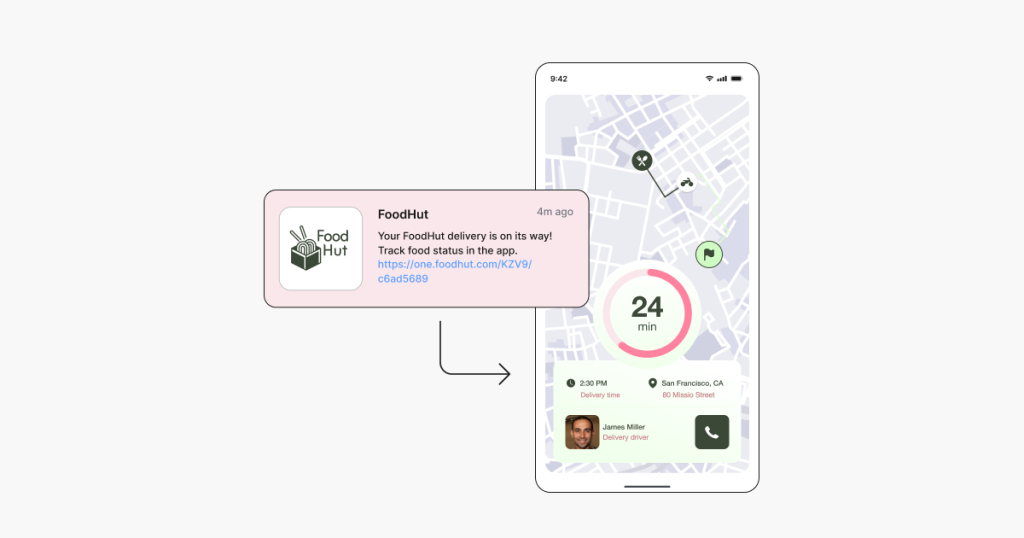
The fallback problem: When a customer clicks a WhatsApp deep link without WhatsApp installed, a native wa.me link gives you almost no control over what happens next. The customer may see an error or a dead end, and you lose both the conversion and any visibility into the drop. AppsFlyer OneLink technology handles this automatically, routing customers without WhatsApp to a web experience, a download page, or any defined destination, without losing attribution data.
api.whatsapp.com vs. wa.me: The api.whatsapp.com domain is for enterprise integrations managed through the WhatsApp Business API. For campaigns, CRM, referrals, and QR codes, wa.me is the right choice. For enterprise use cases, see WhatsApp Business.
How to create a WhatsApp deep link: Step-by-step
Step 1: Format your WhatsApp number correctly
Keep the phone number digits and the country code only. Remove all spaces, dashes, parentheses, plus signs, and leading zeros.
- +1 (555) 123-4567 becomes 15551234567
- +44 20 1234 5678 becomes 442012345678
Step 2: Write your pre-filled message
Keep it short and match the message to the context. Three examples to guide the tone:
- General inquiry: “Hi, I’d like to learn more about your app”
- Product-specific: “Hi, I saw the Premium plan and have a question”
- Re-engagement: “Hi, I’d like to claim my discount”
The message should feel like something the customer would genuinely choose to send. Per WhatsApp’s guidelines, pre-filled messages should never feel deceptive or submit automatically. The customer always chooses whether to send.
Step 3: Encode your message
Pass your plain text through a URL encoder. Spaces become %20, apostrophes become %27, question marks become %3F.
Before: Hi, I’d like more info. After: Hi%2C%20I%27d%20like%20more%20info.
Step 4: Assemble the URL
Choose the right format for your placement.
- Web, email, QR codes, paid social: https://wa.me/[NUMBER]?text=[ENCODED_MESSAGE]
- iOS in-app: iOS in-app: whatsapp://send?text=[ENCODED_MESSAGE]
- Android in-app: intent://send?phone=[NUMBER]&text=[ENCODED_MESSAGE]#Intent;package=com.whatsapp;scheme=whatsapp;end
Use the wa.me format everywhere a browser is involved. Reserve the iOS and Android URL schemes for in-app deep linking scenarios only.
Step 5: Set your fallback URL
Decide what happens when a customer clicks without WhatsApp installed. A bare wa.me link gives you almost no control over this. A deep linking platform configures the fallback destination automatically, whether a web experience, a download page, or a custom landing page.
Step 6: Add attribution parameters
A WhatsApp link with no attribution parameters tells you nothing about campaign performance. Append UTM parameters or use AppsFlyer OneLink technology to connect click data to your attribution dashboard. The attribution section below explains why this step matters more than any other.
Step 7: Test before deploying
Test on iOS with WhatsApp installed, on Android with WhatsApp installed, and on desktop, which should open WhatsApp Web. Then test without WhatsApp installed to confirm fallback behavior. Verify the pre-filled message loads correctly and the destination number is reachable on WhatsApp.
WhatsApp deep linking use cases
Customer acquisition
A WhatsApp deep link in a paid social ad routes new customers into a conversation or, with deferred deep linking in place, into a newly installed app at the right content destination. The intent signal from a WhatsApp click typically runs higher than a cold landing page form.
CRM re-engagement (text-to-app)
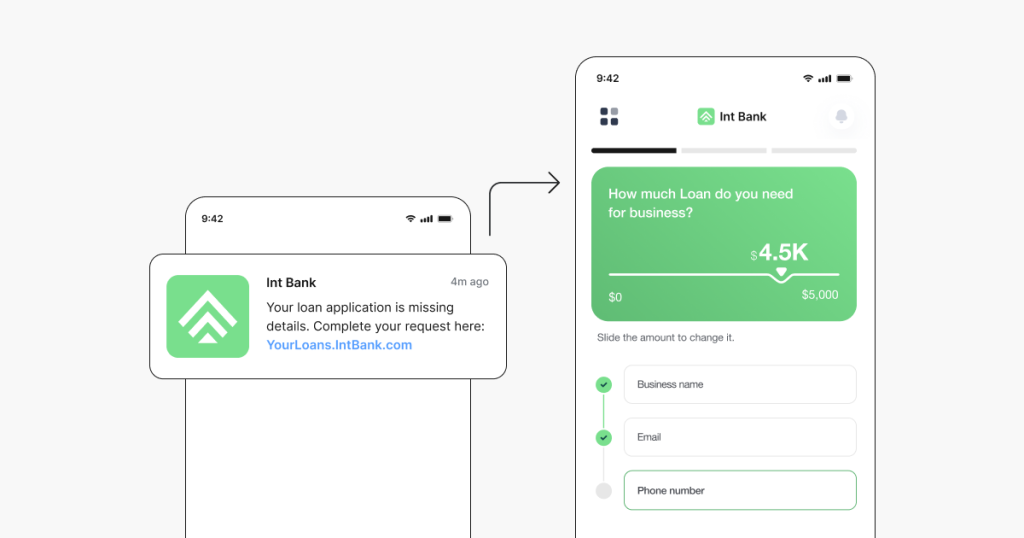
A WhatsApp message with a short, branded deep link back to an abandoned cart or expiring offer takes just one tap to re-engage a customer. Macy’s used AppsFlyer deep linking across their owned media channels, including email, push, web, and direct mail, to overhaul their re-engagement strategy for loyalty customers. The result was a 30% increase in total sessions, a 55% increase in total mobile revenue, and a 100% uplift in revenue per install.
“AppsFlyer attribution data gave us insight into both our acquisition and remarketing efforts so we could optimize in order to realize a substantial increase in engagement and revenue.” — Macy’s
Referral programs (referral-to-app)
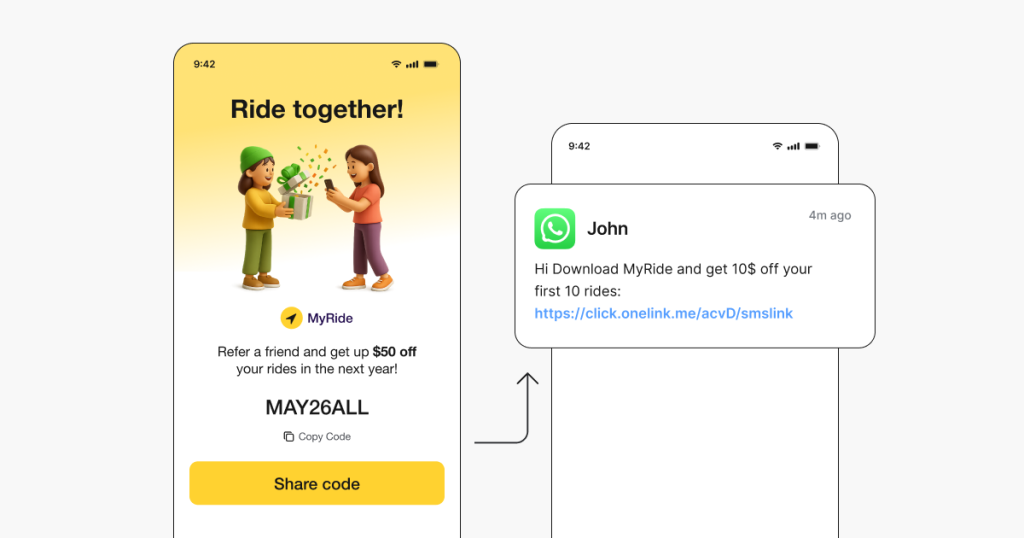
Existing customers share a WhatsApp deep link with their contacts. Through deferred deep linking, new customers install the app and land directly on the referral reward screen, with the referrer ID carried through the install for accurate attribution. VSCO saw a 20% conversion rate for referral-to-app journeys using AppsFlyer OneLink technology, with referral identified as a key component of their overall customer acquisition strategy.
“The referral program became a key growth driver with AppsFlyer’s seamless implementation.” — VSCO
Customer support
A WhatsApp button on a pricing or checkout page with a pre-filled message like “I have a question about my order” routes high-intent customers into a live conversation at the moment they are most likely to abandon.
QR codes for offline-to-app
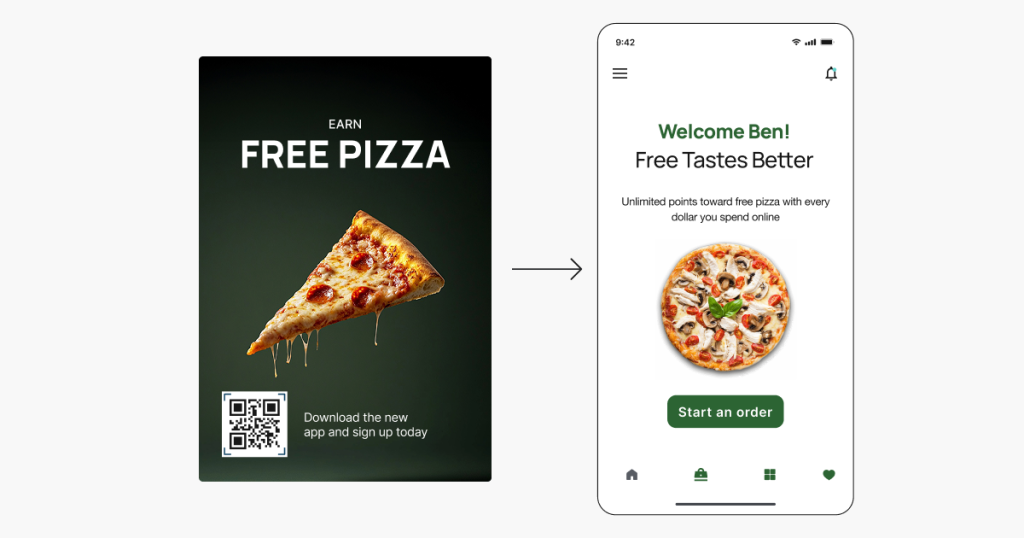
Product packaging, in-store signage, and print placements can carry a QR code that opens a WhatsApp conversation on scan, creating a measurable connection between offline touchpoints and digital engagement, provided attribution parameters are built into the link behind the QR code.
WhatsApp deep links and attribution
WhatsApp deep link guides typically cover link creation and placement. Fewer address what happens after the click, or how to connect that click to a business outcome.
Two scenarios are worth understanding:
- WhatsApp as a distribution channel for app deep links:
A link shared in a WhatsApp message should open a mobile app to specific content. If the app is not installed, deferred deep linking should route the customer through the app store and preserve the original destination after install. Standard links cannot do this. Without a deep linking platform in the chain, customers who install after clicking land on a generic home screen with no connection to the offer that brought them there.
- WhatsApp as one touchpoint in a multi-channel journey:
A customer clicks a WhatsApp link, does not convert immediately, and returns to purchase three days later through a different channel. Without an MMP measuring that touchpoint, the WhatsApp click receives no credit and the channel looks less effective than it is.
AppsFlyer OneLink technology handles both. It manages deferred deep linking, fallback routing, and full campaign attribution, connecting the WhatsApp touchpoint to every downstream install and in-app event in your dashboard.
Why AppsFlyer for WhatsApp deep linking
For growth and CRM teams running WhatsApp campaigns across multiple markets and channels, managing routing logic, fallback URLs, deferred deep linking, and attribution manually across iOS and Android is not sustainable. The OneLink guide covers the full setup, but at its core, AppsFlyer OneLink technology handles it in a single link.
Without a platform handling routing logic, the same link that works on Android breaks on iOS, and customers without your app hit a dead end with no fallback. Without deferred deep linking, customers who install after clicking land on the home screen, not the offer that brought them there. Without attribution parameters, WhatsApp sits outside your measurement model entirely: you can see conversation volume but cannot connect any of it to installs, purchases, or retention.
The OneLink API functions as a WhatsApp deep link generator, letting teams create and manage links programmatically and keeping campaigns scalable as they grow across markets and channels. OneLink technology works across all WhatsApp placements: CRM messages, referral invites, paid social, email, SMS, and QR codes.
For a channel-by-channel comparison, see how Facebook deep linking and Instagram deep linking works in practice.
Make WhatsApp a measurable growth channel
As WhatsApp expands its Business API capabilities and AI-powered chatbot integrations become more common, the combination of properly instrumented deep links and MMP-level attribution will be what separates teams that can prove WhatsApp ROI from those still relying on conversation volume alone.
WhatsApp is one of the highest-engagement channels available to growth and CRM teams, but only if every link routes correctly, handles fallbacks gracefully, and feeds attribution data back into your stack. AppsFlyer connects your WhatsApp campaigns to the rest of your measurement model, so every touchpoint is measured and every customer reaches the right destination. Talk to our team to see how it works for your app.
Frequently asked questions
A URL sent through WhatsApp that routes a customer into a specific screen in your mobile app. It detects their device and install state, handles fallbacks, and preserves attribution throughout the journey.
Format your number with the country code and no special characters, URL-encode your pre-filled message, assemble the link using the wa.me format, and add attribution parameters before deploying. The step-by-step guide above covers the full process.
Yes. Use the text parameter:
https://wa.me/15551234567?text=Hi%2C%20I%27d%20like%20to%20learn%20more.
The message pre-populates in the chat window and the customer chooses whether to send it.
https://wa.me/15551234567?text=Hi%2C%20I%27d%20like%20to%20learn%20more.
The message pre-populates in the chat window and the customer chooses whether to send it.
Yes, when triggered from within another app. iOS uses the whatsapp:// URL scheme. Android uses an intent-based format. For links in email, on the web, in QR codes, or in paid social, the wa.me format works across both platforms.
A native wa.me link gives you almost no control over what happens next. AppsFlyer OneLink technology lets you define a fallback destination so customers reach a useful page rather than a dead end, with attribution preserved.
Use AppsFlyer OneLink technology to connect each click to your attribution dashboard. Without it, you can see a conversation started but cannot connect it to an install or in-app purchase.
Not natively. AppsFlyer OneLink technology adds deferred deep linking for WhatsApp campaigns out of the box, delivering customers to the intended screen on first open.